 +1-480-241-8198
 +44-7428758945
 +61-1300-332-888
 +91 9811400594
Businesses want AI agents that understand customer needs, find relevant information, and help teams get work done — but when customer records sit in Salesforce and other business data lives in Google Cloud, connecting the dots isn’t always easy. Even a promising AI recommendation can fall short without the right context. That’s where the Salesforce–Google Cloud partnership gets interesting.
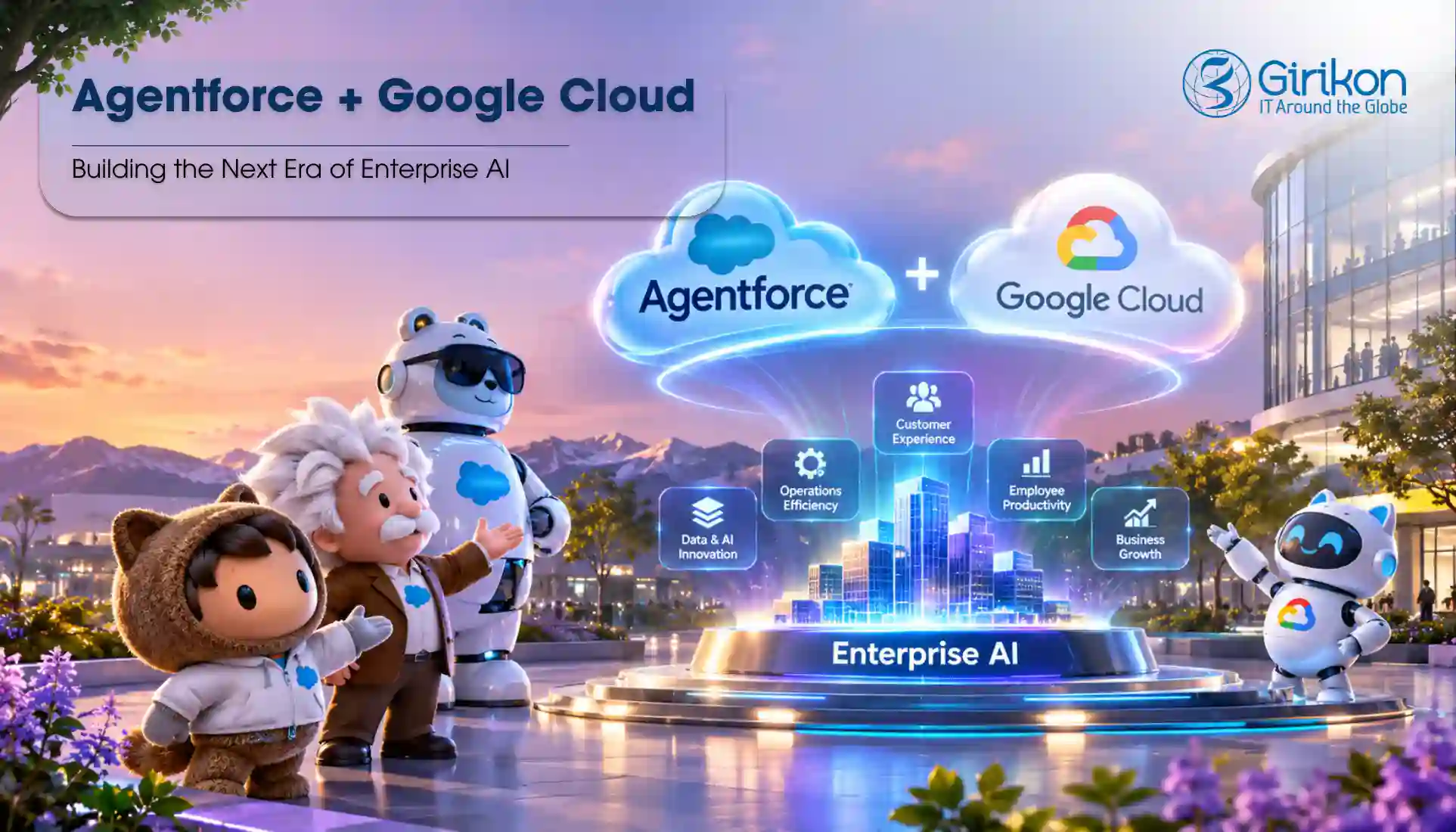
At Dreamforce 2026, Salesforce and Google Cloud announced an expanded Agentforce Google Cloud integration — bringing Salesforce AI agents, Google’s Gemini models, and enterprise data in BigQuery together to support more connected AI workflows.
The bigger opportunity? An AI agent that bridges customer information with business data, enabling your team to identify opportunities faster and confidently make better decisions — however, realizing that value starts with the right approach.
With reliable Agentforce consulting services, businesses can explore how these capabilities fit their workflows and goals. Let’s look at what the integration brings to enterprise AI and where it could make a difference.
What Is the Agentforce Google Cloud Integration?
The Agentforce Google Cloud integration connects Salesforce’s AI agent capabilities with Google’s AI models and data services, creating new ways for enterprise AI agents to work across business systems.
The expanded Salesforce Google Cloud partnership focuses on three key capabilities:
- Agentforce Gemini: Salesforce can use Google’s Gemini models to support AI agents handling more complex tasks and different types of information.
- Salesforce Vertex AI: Google Cloud’s Vertex AI is related to the model layer, enabling the business to access and use AI models. Its role is likely to be dependent on integration/configuration.
- Agentforce BigQuery: Incorporate BigQuery into Agentforce to empower agents with enterprise data, providing context for better business understanding without the need for copying every dataset into Salesforce.
It also broadens where enterprise AI agents can operate. Salesforce capabilities can be accessed through Gemini Enterprise, while Agentforce can use Gemini models for reasoning across business tasks.
For Agentforce, Google’s Vertex AI provides access to Gemini models, including Gemini 3.5 Flash. This connects Salesforce’s AI agent capabilities with Google’s AI infrastructure, while BigQuery helps bring enterprise data into the picture.
3 Key Ways the Salesforce Google Cloud Partnership Is Advancing Enterprise AI
The Salesforce Google Cloud partnership connects Agentforce, Gemini, and business data across platforms. Three capabilities stand out: how and where you deploy agents, how you implement the Gemini models for agent reasoning, and how you access data across Salesforce and Google Cloud.
Deploy AI Agents Across Salesforce and Google Workspace
Now, your team can access and work with Salesforce data and features directly from Gemini using Gemini Enterprise. For example, Agentforce Sales users can: Generate meeting briefs, assess deal risks, engage leads, and update CRM records-all from inside Gemini Enterprise.
Power Agentforce with Gemini Models
Agentforce can use Google’s Gemini models through the Atlas Reasoning Engine. Such a setup enables multimodal reasoning over text, images, and video — enabling agents to fuse various kinds of information while working on complicated business workflows. The multimodal ability is demonstrated in the announcement of the partnership, rather than being a generic assumption about Gemini.
Access Salesforce and BigQuery Data Without Duplicating It
The integration between Salesforce Data 360 and Google BigQuery supports zero-copy data sharing, allowing supported data to remain in its source environment rather than being duplicated. The expanded partnership also enables Agentforce to read data from Google’s Lakehouse, helping agents use information held outside Salesforce when responding to business needs.
Integrate Agentforce with Salesforce Google Cloud in 4 Simple Steps
Here are the four simple steps to integrate Agentforce with Google Cloud, set up data access — and empower your AI agents to assist in your business processes.
Step 1: Choose the Right Integration Path
Firstly, identify whether you want to use Google Gemini models in Agentforce, access Salesforce through Gemini Enterprise — or connect enterprise data through Agentforce BigQuery capabilities. The right path depends on your business needs.
Step 2: Configure Agentforce and Google Cloud
Enable the required Agentforce features and confirm your Salesforce licenses and Google Cloud access. If you want to use Gemini models in Agentforce, check out the supported model options and requirements for your setup. Google Gemini models for Agentforce run on Salesforce Vertex AI integrations through Google Cloud’s Vertex AI platform.
Step 3: Connect Your Data and Set Permissions
Now, it’s time to set up the required connection between Salesforce and Google Cloud — then define which records and datasets agents can access. For example, Salesforce Data 360 and BigQuery support zero-copy data sharing — allowing supported data to be accessed without duplicating it.
Step 4: Test Your Enterprise AI Agents
Lastly, test AI agents on a business task like researching leads, preparing meeting briefs, or fetching relevant business data. Make sure that the results are correct, and permissions are respected before deploying the workflow to users.
Please note — These steps provide a general implementation path. Exact setup requirements and feature availability vary by integration type.
Need Help Integrating Agentforce with Salesforce Google Cloud?
Make your AI integration work for your business — our Salesforce experts can help you connect to systems, configure AI agents, and turn enterprise data into actionable insights.
Talk to Our ExpertsTop Enterprise AI Agent Use Cases for Agentforce and Google Cloud Integration
The Agentforce Google Cloud integration allows businesses to connect customer data, AI, and data across different platforms. Here are four real-world use cases.
Sales Lead Management
Sales teams can search leads, get ready meeting briefs, identify deal risks, and log to Salesforce records with Agentforce Sales agents via Gemini Enterprise. The sales reps are getting necessary information without toggling around systems.
Customer Service and Support
AI agents help service teams review customer data, identify cases in queue, and get guidance on what to do next to address the issue. When combined with Gemini Enterprise — Salesforce capabilities enable service teams to make relevant customer context available to handle support cases.
Business Insights and Reporting
When integrated with Google Cloud, customer data can be used with data stored in Google BigQuery. AI agents can reference both sources to give context for — analysis and assist teams in reaching smarter decisions.
Product Support and Troubleshooting
Salesforce and Google Cloud have also partnered to describe customer-support scenarios where customers are guided through setup and troubleshooting by combining Gemini Live with Agentforce, with the option to hand off to a human support agent.
Top Factors Businesses Should Consider Before Adopting Agentforce and Salesforce Google Cloud Integration
Before starting with the Agentforce Google Cloud integration — you should consider the following:
- Feature Availability and Compatibility: Confirm that the required capabilities are available for your Salesforce edition, licenses, and Google Cloud environment. Some features are still in beta or preview — which can impact your rollout timeline.
- Data Access and Permissions: Determine what records in Salesforce and datasets of Google Cloud agents can view and whether they require permission to make changes to records. The Salesforce connector for Gemini Enterprise respects users’ existing Salesforce permissions, while write actions are disabled by default.
- Data Connection Method: Decide whether data should remain in its source or be copied into another environment. For example, BigQuery federated queries can access data in place, while data ingestion copies it into a Gemini Enterprise data store. Federated queries are currently in preview.
Frequently Asked Questions
Q. What is the Agentforce Google Cloud integration?
A. The Agentforce Google Cloud integration connects Salesforce’s AI agent capabilities with Google’s Gemini models and data ecosystem, allowing agents to work across business applications and access relevant enterprise data.
Q. How does Salesforce Agentforce integrate with Google Gemini?
A. Agentforce can use supported Google Gemini models through its Atlas Reasoning Engine. This gives businesses another model option for powering AI agents that handle complex tasks and work with different types of information
Q. How does the Salesforce and Google BigQuery integration work?
A. Salesforce Data 360 and Google Big Query enable businesses to share supported data between each system using zero-copy sharing — which means it can be read in both systems without duplication. This helps you maximize the value of the data stored in Big Query with Salesforce data.
Concluding Words
The Agentforce Google Cloud integration represents a practical opportunity for businesses to align Salesforce customer information, Google Gemini models, and Big Query insights to optimize sales performance, customer support, and business performance. But the ROI will be measured by how these tools address concrete business problems-not just integration.
Begin by selecting a workflow that involves fragmented data and manual processes that are impeding your team. Then select the integration route to meet your requirements, confirm the feature set is available, and set up proper data access controls before launching an AI agent. This allows businesses to target investments on use cases with quantifiable potential rather than doing so with AI.
Our Salesforce consulting experts can identify the best way to use Agentforce with Google Cloud and create an AI implementation roadmap to help you achieve your strategic business goals.
About Author

Sakshi specializes in creating high-quality, SEO-driven content focused on Salesforce, CRM, and business automation. She writes blogs, landing pages, solution pages, case studies, and thought leadership content that simplifies complex Salesforce concepts, highlights business value, and helps organizations make informed CRM decisions.
Share this post on: