+1-480-241-8198
 +44-7428758945
 +61-1300-332-888
 +91 9811400594
Businesses depend on Salesforce data to understand whether planned processes are working, how sales cycles progress, and check customer engagement evolving over time. This visibility is only possible with the ability to automate data extraction from Salesforce, especially reporting, analytics, and system integrations to become more frequent. Traditional methods such as manual exports or static reports are time-sensitive and increasingly insufficient when datasets grow larger or when data needs to move across teams and platforms without delay.
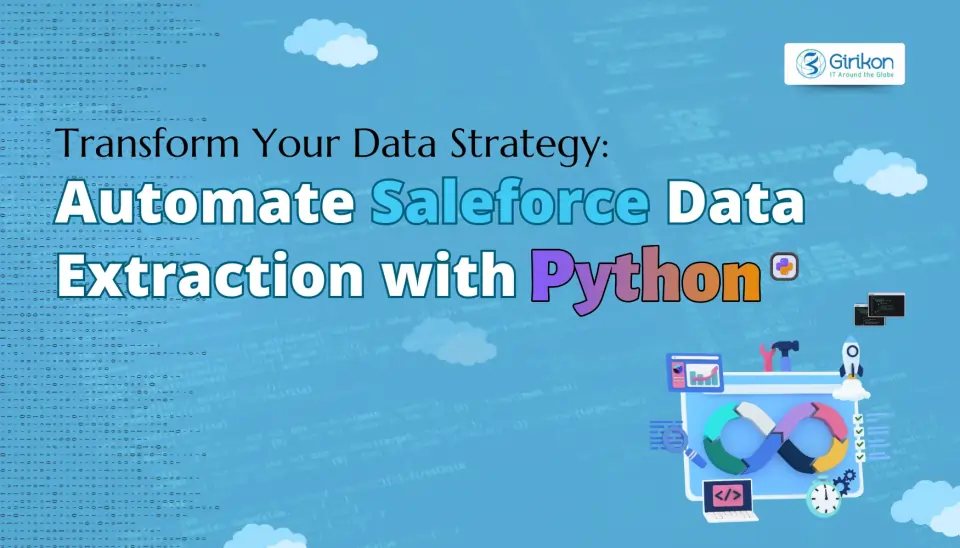
This is where Salesforce data automation comes into picture, especially when businesses use Python for Salesforce REST API integration. It allows teams to extract Salesforce data programmatically, control how data is accessed, and manage scale without relying on manual intervention. With a well-designed Python script for Salesforce data, you can support secure Salesforce data extraction while feeding analytics pipelines or downstream systems consistently. In this blog, we discuss the major steps to follow to automate Salesforce data extraction using Python. Additionally, we’ll explore common mistakes to avoid so that you get a successful, reliable, and secure data extraction process.
Python vs Common Extraction Approaches
| Approach | What You Can Control | Where It Falls Short |
|---|---|---|
| Manual CSV Exports | Almost none beyond filters | No automation, high error risk, unusable for pipelines |
| Salesforce Reports | Basic fields and schedules | Limited joins, rigid formats, not API-ready |
| ETL Tools | Predefined connectors and mappings | Costly, opaque logic, limited SOQL flexibility |
| Python + Salesforce APIs | API choice, SOQL logic, pagination, retries, storage, scheduling, security | Requires engineering discipline and ownership |
Why Should You Use Python for Salesforce Data Extraction
Use Python for Salesforce data extraction because it’s versatile and beginner-friendly is one of the many reasons 48.24% of developers use it. There are other factors you should be using it to automate data extraction from Salesforce using Python, these are:
- Flexibility with APIs: It allows easy interaction with Salesforce APIs, which lets you retrieve specifically the data you require without being bound to inflexible software.
- Automation at Scale: Python scripts can be automated, reducing time than manually running them and ensuring consistency across extraction tasks or reports that recur frequently.
- Seamless Data Handling: It has libraries such as Pandas and NumPy that make Salesforce data easier to clean, transform and structure, so it can be displayed in dashboards, analyzed or fed downstream.
- Integration Abilities: It connects Salesforce to other systems (databases, analytics systems or cloud applications) to establish end-to-end workflows that power business decisions without manual exports.
How to Automate Data Extraction from Salesforce Using Python: 7 Steps to Know
Step 1: Choose Right API
API selection is crucial because it streamlines the process, but it’s rarely seen as a design decision. For small, frequent data pulls where urgency matters, using the Salesforce REST API with Python usually works without much friction. Once extraction starts covering historical records, backups, or multi-object datasets, that same approach begins to strain. Using Bulk API can handle scale; however, if you skip the choice, it will lead to rework in data automation efforts and broader Salesforce implementation roadmap.
Step 2: Set Up Reliable Authentication
Authentication is not a setup task; it’s more like an infrastructure that secures access. So, make the proper choice: OAuth works well when a user context is necessary, while JWT-based authentication is better suited for background jobs and scheduled processes. In addition, for secure Salesforce data extraction, permissions should be narrowly scoped, credentials securely outside your code, and access should be easy to update. When authentication is handled carefully, it rarely needs ongoing attention and helps you avoid costly corrections.
Step 3: Create Maintainable Environment
Most Python scripts for Salesforce data fail over time because the environment they depend on slowly changes over time. To reduce the risk, ensure you have an environment with only essential libraries. Focusing on dependency versions and documenting the setup may feel extra work initially. It pays off when the same Python script for Salesforce data needs to run across environments or be maintained by someone new. What brings stability and a smooth process is your discipline rather than tools.
Step 4: Refine SOQL Performance
Salesforce queries (SOQL) are often written but never revisited, but as data increases, it may render it unreliable or slow. The queries that are useful with smaller datasets may fail to scale with the increase of the objects, relationships, or fields. To have an efficient extraction effort, test queries directly within Salesforce and review them periodically. SOQL quality determines extraction performance more than the Python layer or API settings.
Step 5: Plan Extraction Logic for Resilience
A perfect data pull is a rare occurrence because network drops, partial responses, and long-running jobs stopping midstream are normal, not exceptional. Therefore, it’s a must that Python-based Salesforce data automation accounts for pagination, log progress clearly, and resume without duplicating records. When you assume smooth execution, it tends to fail quietly once scheduling and scale enter the picture.
Step 6: Design Storage for Reuse
The way you have saved extracted data impacts every future use case. For instance, flat files may be sufficient for one-off analysis, but structured storage makes more sense for recurring analysis or pipelines. The format itself matters less than consistency, especially when extracted data is structured predictably and remains usable after the initial Salesforce REST API Python integration has done its job. Additionally, with structured storage you can support downstream analytics and boost Salesforce AI consulting benefits when intelligent models are applied to extracted data.
Step 7: Automate with Transparency
To automate data extraction from Salesforce with Python is easy, knowing when they may fail is harder. Use ‘schedulers’ that can log and give you notifications so that you can identify problems prior to their impact reporting or integrations. The absence of clarity in the process causes gaps in the visibility that are only evident when the stakeholders notice data is missing. But adding monitoring or notifications to dashboards will make sure that you are not blindly following the process and with time you could see the difference in whether a process scales safely or builds mistrust by masking failures.
Common Mistakes in Salesforce Data Extraction Using Python and How to Avoid Them
Following are the common mistakes and how to avoid for an efficient data extraction process:
Mistake 1: Ignoring API Limits
API limits are rarely breached in a drastic moment; they happen gradually through inefficient queries, frequent polling, and retries that no one tracks. But it can be avoided by monitoring usage trends and tightening how you extract Salesforce data programmatically helps prevent limits from becoming operational constraints later. Once limits are hit consistently, fixes tend to be reactive rather than planned.
Mistake 2: Scaling SOQL Poorly
SOQL written for convenience often struggles as data grows, with queries that pull too many fields or rely heavily on relationships may pass initial tests but degrade over time. Revisiting SOQL with scale in mind is essential for long-term Salesforce REST API Python workflows, since most performance issues come from query design and not platform instability.
Mistake 3: Treating Errors as Edge Cases
The failures in extraction logic often present themselves as missing or incomplete data rather than evident warnings. Such uncertainty is more harmful to the process than a failure because it erodes trust in reports or analysis. Thus, unless errors are managed in an orderly manner, capture meaningful logs, and have retrieval controlled, the problems go unnoticed until the stakeholders discover gaps in the system, leading to costly and time-taking recovery.
Mistake 4: Handling Credentials Carelessly
Credential settings are usually maintained and forgotten until something goes wrong. Also, hardcoding secrets or sharing tokens across environments leads to security risk and operational friction. So, manage credentials properly for a secure Salesforce data extraction, especially when scripts run unattended and are the component of larger data processes.
Mistake 5: Overlooking Data Quality
To fasten the process, automation means focusing only on speed while overlooking accuracy. This means that inconsistent fields, outdated records, or incomplete datasets are ignored when scripts don’t validate results. You must follow Salesforce data migration best practices and proper quality checks for extracted data to understand that it can have flawed analysis, eroding trust in reporting, and downstream workflows.
Wrapping it Up
We’ve seen how Python can simplify Salesforce data extraction, enabling faster reporting, smoother integrations, and reduced manual effort. In this blog, we shared practical steps to help you have a successful process to automate data extraction from Salesforce using Python. In addition, we also highlighted common mistakes and how to avoid them for an efficient automation and resilient process for accurate and reliable data pipelines.
If you don’t want to overburden your team and want an effective process, we recommend you seek a reliable Salesforce consulting partner. The certified Salesforce experts combine Salesforce knowledge with Python-driven workflows to help your organization design and implement automation strategies tailored to your needs and get the boost your Salesforce AI ROI like never before.
FAQs
Can Python extract large volumes of Salesforce data efficiently?
Yes. Python combined with Salesforce REST and Bulk APIs allows scalable data extraction when pagination, retries, and SOQL optimization are implemented correctly.
What is the most secure way to authenticate Python scripts with Salesforce?
JWT-based OAuth authentication is typically preferred for automated and scheduled Python workflows because it avoids hardcoded credentials and supports secure, unattended execution.
When should businesses avoid manual Salesforce data exports?
Manual exports become unreliable when data volume grows, reporting frequency increases, or integrations depend on consistent and repeatable data pipelines.
About Author

Anjali is a technical content writer and strategist with 9 years of experience, bringing expertise in creation and strategy for IT services, software development, and Salesforce consulting companies. She excels at developing SEO-driven storytelling and technical narratives, and in crafting marketing assets that boost visibility, accelerate sales, and deliver measurable business growth.
Share this post on: