+1-480-241-8198
 +44-7428758945
 +61-1300-332-888
 +91 9811400594
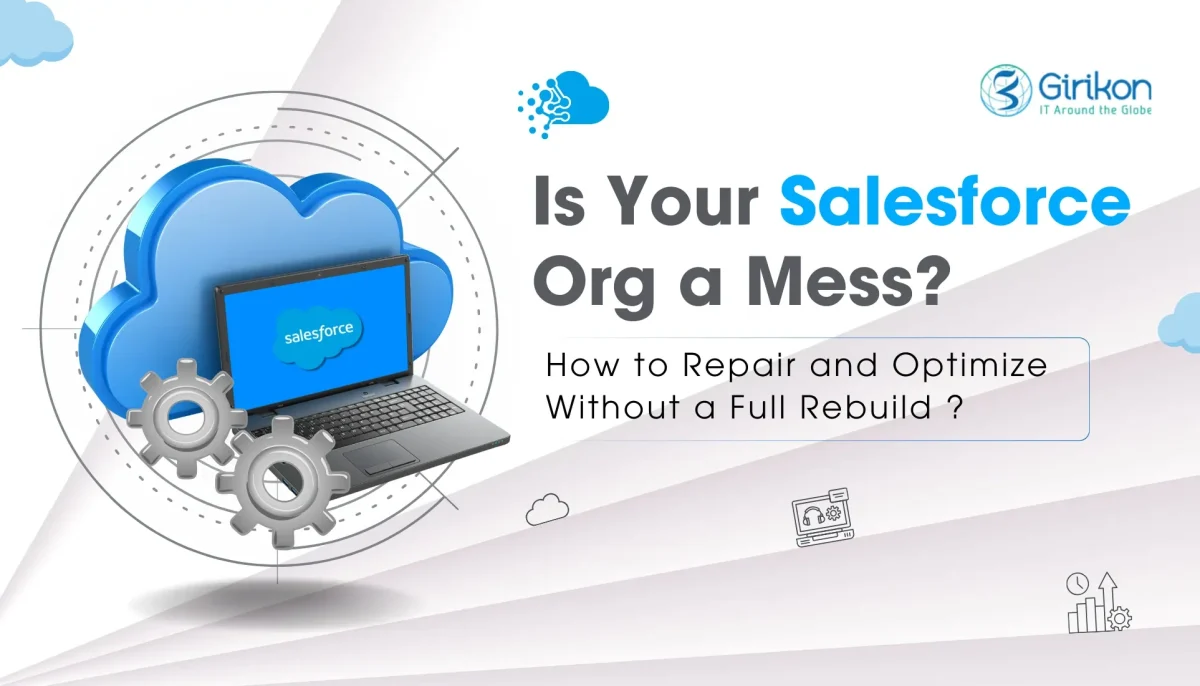
We’ve all had that moment when the Salesforce org just feels… heavy. You know the signs – Salesforce org cleanup time is overdue because reports take forever to refresh, team members groan about pages crawling along, and those custom bits of code keep coughing up errors nobody can quite pin down.
Starting from scratch? Sure, it’s tempting when things get this bad. But man, it’s a headache – costs a fortune in time and cash, disrupts everybody, and let’s face it, we can dodge that bullet. Grab a solid plan, roll through it piece by piece, and suddenly that org’s breathing easy again, ready for whatever comes next. We’ve pulled this off more times than we can count, picking apart the tangles one knot at a time.
Diagnose Before You Dive In
Ever tried fixing a car without popping the hood? Exactly. First things first: assess the damage. Salesforce’s built-in Health Check and Optimizer tools are free goldmines here. Just jump into Setup and type “Health Check” in the Quick Find box – bam, you’re running it. The thing digs through your security setup, pokes at sharing rules, profiles, all that jazz, then hands you a neat breakdown: high risks that need fixing yesterday, medium ones worth watching, low stuff that’s more like housekeeping, complete with tips on what to tweak next.
Then there’s Optimizer – it really gets under the hood, combing through custom objects, fields sitting idle, validation rules that might be overkill, and even your Apex classes to spot anything bloated or dragging things down. It might tell you you’ve got 200 unused fields on Accounts or triggers hitting governor limits. Run these quarterly, but especially now.
Why bother? Because symptoms like slow dashboards often mask root causes. A security hole? Fine. But Salesforce performance issues from poor queries? That’s fixable without panic. Document findings in a shared spreadsheet – prioritize high-risk stuff.
Here’s our quick diagnostic checklist:
- Profiles and permissions: Over-permissive? Tighten them.
- Custom metadata: Identify unused components.
- Data volume: Millions of records? Archive old data.
- Code coverage: Below 75% is a red flag.
Spend a day here. It saves weeks later. You know, it’s kind of funny – most orgs skip this and jump to code changes. Don’t!
Fix Salesforce Org by Tackling Technical Debt
This entails confronting Salesforce technical debt head-on. That’s the accumulation of shortcuts: half-baked triggers, duplicate validation rules, legacy Visualforce pages blocking Lightning adoption. It builds silently, then explodes during peak seasons.
Start small. Inventory your code base. Tools like Gearset or Copado can scan for debt, but even VS Code with Salesforce extensions works.
Look for:
- Triggers doing too much (bulkify them into service classes).
- Hard-coded IDs (replace with custom metadata).
- SOQL in loops (move queries outside loops).
Refactoring isn’t sexy, but it’s essential. Say you’ve got a trigger updating Contacts on every Account save. Bulkify it – process lists, not singles. Test coverage jumps, governor limits breathe easy.
Pro Tip: Allocate 20% of dev sprints to debt reduction. Track it like user stories: “As an admin, so that upgrades don’t break, refactor Order trigger.” We’ve seen orgs shave months off release cycles this way.
Deep Dive into Salesforce Performance
Salesforce performance issues kill productivity. Pages load like molasses, reports time out, mobile users rage-quit. Common villains? Unindexed queries, heavy Flows, skinny lists ignored. Take big objects like Opportunities – slap custom indexes on the fields you filter by all the time, say CloseDate or StageName, and watch those query times drop, sometimes by 80% or more. Pop open Query Plan in the Developer Console; if it’s flashing red warnings, that’s your cue something’s gotta give.
Flows next. Einstein Process Builder? Migrate to Flows, but optimize: no nested loops, async where possible. Apex? Use @future or Queueable for long jobs. Data’s a hog too. Big Objects for historical data, Slim Tables for high-volume. Archive Cases older than two years – Salesforce Data Archiving tool handles it seamlessly.
Key optimization tactics:
- Lightning component lazy loading
- Scheduled dashboard refreshes instead of real-time refresh
- Monitoring network requests using browser developer tools
Monitoring tools like Event Log Files or third-party tools such as New Relic help identify performance patterns.
Reshape Architecture Issues
Salesforce architecture issues creep in as teams grow. What starts as “quick field for that promo” becomes 50 custom fields, tangled relationships, sharing rules multiplying like rabbits. Audit your model. Accounts-Contacts: Standard usually suffices; custom junctions only if multi-tenant weirdness. Record types? Cap at 5 per object – users confuse beyond that. Sharing: Start with OWD Private, layer criteria rules sparingly. Ownership skew kills performance. Here’s a comparison for common pain points:
| Issue | Symptom | Recommended Fix |
|---|---|---|
| Field Bloat | Slow record saves and cluttered layouts. | Deactivate unused fields and merge duplicates. |
| Object Proliferation | Complex queries and confusing relationships. | Normalize architecture using fewer core objects. |
| Trigger Hell | Recursion errors and unstable automations. | Implement a single trigger per object using handler frameworks. |
| Permission Sets Overload | Difficult permission management. | Use role hierarchies with minimal exception-based permission sets. |
Adopt a framework: LOCAD (Logic, Objects, Code, Automation, Data). Review each. Logic centralized? Objects normalized? Code bulk-safe?
Migrate old VF to LWC gradually – Experience Builder bridges. We’ve rebuilt architectures without downtime, using feature flags.
To be fair, not every org needs microservices. But scalable? Always aim there.
Hands-On Salesforce Org Cleanup Playbook
Salesforce org cleanup? Yeah, it’s the unglamorous grind, but somebody’s gotta do it. Alright, sleeves up!
Follow this structured 10-step playbook:
- Backup data and metadata regularly.
- Perform cleanup operations inside a full sandbox.
- Inventory reports, dashboards, and apps.
- Decommission unused packages and fields.
- Improve data quality using duplicate rules.
- Clean up profiles and permissions.
- Migrate legacy workflows to Flows.
- Audit email templates.
- Perform post-cleanup testing.
- Document before-and-after performance improvements.
Expect pushback. “But we might need that field!” Communicate: Town hall, changelog.
Tools shine here – Sfdo-tk for bulk delete, Data Loader for exports.
This phase? 40% of effort, 80% gains.
Build Governance to Sustain Wins
After fixing an org, governance ensures issues do not return.
- Establish a Change Advisory Board.
- Create coding standards.
- Run quarterly health scans.
- Provide regular Salesforce training.
| Governance Layer | Why It Matters | Implementation |
|---|---|---|
| Standards Documentation | Maintains consistency across development teams. | Maintain documentation in a shared repository. |
| Review Process | Identifies technical debt early. | Mandatory pull request reviews. |
| Monitoring | Provides proactive alerts for issues. | Use Event Monitoring tools. |
| Audits | Ensures objective evaluation. | Annual external architecture reviews. |
We’ve coached teams to zero unplanned downtime. Habits stick.
Rhetorical question: Why do 60% of orgs accumulate debt yearly? No guardrails. Fix that.
Team Buy-In and Change Management
Solo heroics fail. Workshop it: “Show me your pain points.” Sales wants faster leads? Prioritize that Flow. Phased rollout: Pilot team first, feedback loops tight. Celebrate wins – Slack high-fives for first clean dashboard. Stats? Poor orgs lose 25% productivity; optimized ones gain 30% throughput. (From Salesforce benchmarks and case studies.) Here’s the thing: Users resist less when involved. “We fixed what you hated.”
Advanced Tricks for Long-Term Org Optimization
Advanced Salesforce optimization strategies include:
- Using Platform Events for decoupled integrations
- Leveraging External Services with Named Credentials
- Adopting Dynamic Forms for flexible UI
- Moving complex formulas to calculation fields
Metrics That Prove You’re Winning
Track the following performance indicators:
- Page load times
- API consumption
- User adoption metrics
- Error logs
Your Action Plan Today
Establish baseline performance metrics before optimization and compare monthly improvements. Start with Salesforce Optimizer and resolve one high-priority issue, incremental improvements compound quickly. Fixing a Salesforce org methodically can restore performance without requiring a full migration or rebuild. If progress stalls, a structured approach guided by expert Salesforce consultants can help identify gaps and scale optimization efforts effectively. At scale, many organizations complement internal efforts with Salesforce consulting support to ensure optimization initiatives deliver long-term impact.
About Author

Indranil is a technology enthusiast with over 25 years of experience in project management, operations, technology and business development. Indranil has led project teams in egovernance, business process re-engineering, product development and worked with Government and Corporate customers. Indranil truly believes in the power of technology to drive productivity and growth for teams and businesses.
Share this post on: