 +1-480-241-8198
 +44-7428758945
 +61-1300-332-888
 +91 9811400594
Consumers access content on every screen; people want customized experience each time they interact with a business; companies work on advertising campaigns in multiple media channels. As the media and entertainment industry grows rapidly, it becomes more troublesome to work with isolated systems for the management of sales, advertising, content distribution, and relationships with subscribers.
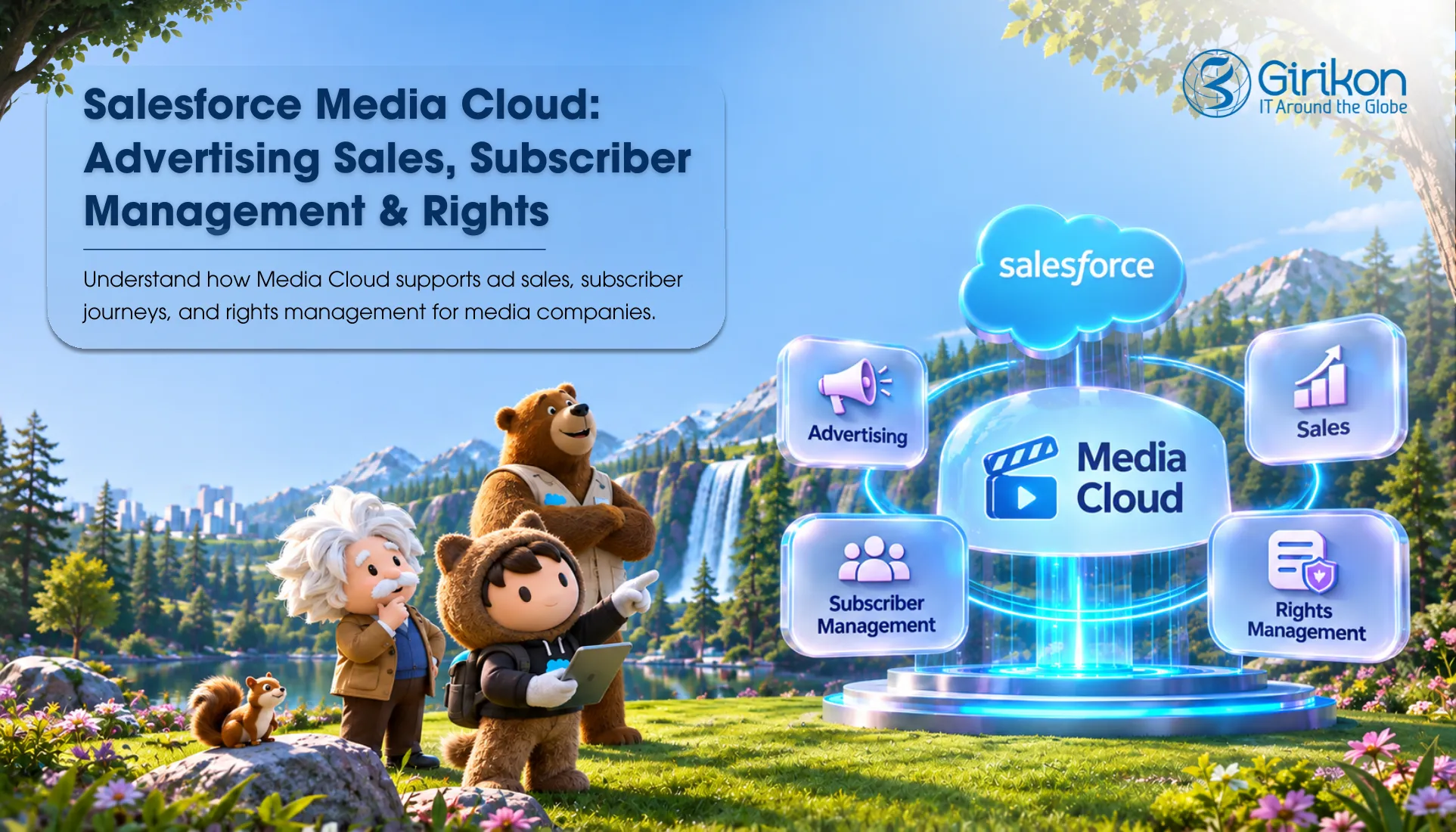
Managing demands in this area is not only about dealing with acquiring more gadgets. It is also about integrated management of subscribers, advertising, and content as one. Salesforce media cloud combines all of these elements to help media companies manage processes more effectively.
How Does Salesforce Media Cloud Work?
As a purpose-built CRM, Media Cloud Salesforce enables media and entertainment companies to get a handle on their content licensing, subscriber management media CRM, and distribution using a single CRM platform, providing their teams with greater revenue and customer insights.
The platform supports key media business functions, including:
Sales Management for Advertising
Helps radio and TV channels and publishers manage their advertising resources effectively by creating proposals, preparing campaigns, and implementing media strategies through both online and offline advertising.
Rights and Licensing Management
Helps entertainment companies navigate licensing agreements, contract terms and conditions, and territory and platform licenses.
Managing Subscriber Journey
Permits media companies to create an ongoing, true relationship with subscribers by facilitating each aspect of the journey, from signing up to their first touches of onboarding, upgrades, retention incentives, and beyond.
Media Commerce Management
Makes it easier for media companies to price, bundle, and sell digital media, media subscriptions, and media services with strong in-stream buying experiences and flexible pricing.
Are Media Cloud and Agentforce Media the Same Thing?
Yes, according to Salesforce’s Media Cloud guide, the product is carrying a new name and remains dedicated to the media & entertainment industry.
Nevertheless, it’s a bit misleading as there are areas of Salesforce pricing information, documentation, and pages that still refer to the product as Media Cloud, whereas other references say Agentforce Media.
This short comparison will show you the difference.
| Aspect | Salesforce Media Cloud | Agentforce Media |
|---|---|---|
| Product Naming | Earlier product name | Updated product name |
| Core Purpose | Industry-specific CRM for media businesses | Media CRM with an expanded AI-focused positioning |
| Product Positioning | Media-focused CRM platform | Industry solution |
| Content Rights | Supports licensing agreements and content distribution processes | Retains the media industry’s content monetization focus |
| Advertising Sales | Supports media planning, campaign coordination, and inventory management | Puts strong emphasis on intelligent automation |
| Subscriber Management | Oversees the acquisition, engagement and retention of subscribers | Focuses on connected subscriber experiences and AI-assisted engagement |
Swipe to see more →
What is the Function of Media Cloud Advertising in Salesforce?
Multi-channel ad sales mean not simply selling advertising and determining the budget for the campaign. It implies knowledge of the number of advertising spots available, the way they can be purchased, as well as costs, planning and coordinating the campaign, and developing advertisements.
Salesforce for publishers provides end-to-end ad sales management by unifying different sales-related activities on a connected platform.
Gather Requests from Advertisers and Create the Opportunities
An advertising process begins when an advertiser or an ad agency approaches a publisher in order to book its advertisement. The advertiser gives the publisher details about the means of advertisement, target audience, goals, budget, coverage area, and duration of the advertising program. Salesforce helps the publisher’s sales team structure the different advertising needs that are transferred into a corresponding advertising opportunity in the CRM system. Meanwhile, Agentforce allows teams to use agents for summarizing incoming RFPs and extracting relevant information. This gives the sales team a centralized place to manage the potential deal and track the advertiser’s requirements.
Create Proposals and Media Plans
Once the opportunity is created, the salesperson and media planner jointly develop proposals in accordance with the campaign objective of the advertiser. This means you get some great advertising options for your retail products on your app, banners,, and sponsored articles. Also, you will have a media plan which will explain what channels you have, where they will be placed, and how much they will cost.
Check Ad Inventory + Set Prices
Prior to sending the proposal, the publisher is required to validate if the proposed available spaces are free. The sales team can validate available placements on mobile apps, web banners, and even the dates for the campaign using Salesforce’s inventory and pricing tools. Moreover, the team is capable of estimating the costs of advertisement depending on various quantities and placement types. If the advertiser enters the market by means of advertising the basket for Christmas, there will be a possibility of checking whether this type of inventory is available for the relevant period before sending the proposal.
Quote, Get Approvals and Create Orders
At this moment, the proposed media plan is sent to the advertiser. When the advertiser agreed with the proposed media plan, the publisher would follow the commercial process. The sales team would prepare an offer which contains the agreed prices, placement, and campaign terms. Following internal approval, the publisher would issue an insertion order which serves to confirm the agreement between both sides before the campaign is implemented.
Connect Orders with Advertising Systems
The publisher no longer needs to handle tasks manually, as a salesforce integration expert can help integrate Salesforce software seamlessly with external ad servers and order management systems, streamlining workflows and improving operational efficiency. This means all the necessary details about any campaign, such as starting and completion date, ad space, and copy details, etc. are going to be successfully passed through.
What AD Servers are Compatible with Media Cloud?
Running advertising campaigns involves more than just using a CRM solution. Publishers will also need traffic management and advertising server solutions to carry out the ad placement, scheduling, and campaign management operations.
Salesforce Media Cloud supports these connections through MuleSoft Direct integrations, which link external advertising technology platforms with Advertising Sales Management workflows.
Some of the supported integrations include:
| Ad tech system | Integration type | What it helps manage |
|---|---|---|
| FreeWheel | Prebuilt integration | Coordinate advertising operations and ad serving for video and television content |
| Billing and ERP systems | Custom integration | Link up your advertising operations with billing, collection, and payments. |
| Triton Digital TAP | Prebuilt integration | Support audio advertising and server-side ad insertion for digital audio content |
| Google Ad Manager | Prebuilt integration | Operation and management of digital advertising campaigns, including programmatic guaranteed deals. |
| Imagine Communications xG Linear | Prebuilt integration | Synchronize advertising schedules for linear television broadcasting. |
| WideOrbit Traffic | Account synchronization only | Facilitate traffic administration of linear television and radio advertisements. |
Swipe to see more →
What Does Subscriber Lifecycle Management Involve?
The subscriber lifecycle management (SLM) module of subscription services manages subscribers starting from the moment they are acquired, then onboarded, and finally re-subscribed.
Gaining and Welcoming Subscribers
With targeted offers, streamlined sign-up pathways and tiered packages, Salesforce SLM makes it easy for media companies to bring new subscribers on board.
Subscriber Engagement and Service Management
Salesforce SLM allows media companies to manage service requests, subscriber information, subscription changes, and billing details in one place. This provides service representatives with a better understanding of each subscriber’s preferences and history.
Cancellation Management and Subscriber Re-Engagement
Using this, media companies can manage subscription cancellations and create opportunities to bring former subscribers back.
Keeping Subscribers and Upselling
With this, companies know what users enjoy and who might be on the fence about quitting, so they can serve up timely discounts, show them more of what they like, and suggest better subscription plans.
What’s the Process for Salesforce Media Cloud Development?
Salesforce media cloud is delivered with preconfigured workflows, industry-specific data models, and configurable components for media and entertainment companies. It offers a combination of Salesforce CRM core functions, along with subscriber management, advertising sales, media commerce, and licensing.
These functions can be tailored to integrate Media Cloud with any other media systems, such as content management, billing, or ad-serving system. Thanks to Salesforce platform, the media companies gain control of their workflows and can customize the solution as per their requirements.
Salesforce Media Cloud Pricing
Salesforce mentions five US Media Cloud editions, priced from Growth at $300 per month to Sales & Service Max at $825 per month, which are differentiated by what an org requires for advertising, sales, customer service and AI-based engagement.
| Edition | US List Prize | What It Includes |
|---|---|---|
| Growth | Prices starting from $300 | Sales Cloud and/or Service Cloud functions, OmniStudio, data models for media purposes, working relationship center, and rules engine. |
| Advanced | $450/user/month | Everything in Growth, plus revenue cloud advanced, advertising sales management, and orders. |
| Sales Max | $800/user/month | Everything in Advanced, plus Agentforce for Data 360, Media Cloud, Tableau Next, Flex Credits, and sales performance tools. |
| Service Max | $800/user/month | Everything in Advanced, with additional data and AI capabilities including Digital engagement and service-focused features. |
| Sales & Service Max | $825/user/month | Combines advanced sales and service capabilities with the full Agentforce for contact center tools and industries suite. |
Swipe to see more →
Other Essential Factors that Affect Salesforce Media Cloud Pricing
Besides the base license cost, businesses should evaluate a few additional factors when estimating their Salesforce media cloud investment:
Additional paid features
Capabilities such as Agentforce for CRM analytics, unified audience profile, MuleSoft direct, loyalty engagement, and media cloud may involve additional costs.
Implementation and integration costs
License fees do not include partner consulting, data migration, implementation services, or integration of middleware. These expenses depend on the complexity of the organization’s deployment requirements and existing systems.
Flexible licensing
Organizations can combine Media Cloud licenses with Service Cloud or Sales Cloud licenses within the same Salesforce org. This enables them to purchase Media Cloud access only for employees who require its industry-specific capabilities.
Success plans
Premier Success is included with all the listed editions, providing access to additional Salesforce support resources.
Which One Do You Need– Media Cloud or Sales Cloud?
Based on the workflows you want to manage and the nature of your business operations, you can choose between the Salesforce media cloud and the sales cloud. While media cloud offers industry specific capabilities for entertainment and media businesses, sales cloud supports general sales processes across industries.
Here are some points to note before concluding that:
- Use Media Cloud when you are in the licensing, planning, sale, and distribution of media
- Prefer having Sales Cloud when you need to manage your leads, accounts, opportunities, sales and forecast in a simple-to-use CRM.
- Think about how your multi-channel advertising plans, digital subscription technology, AI media operations and targeted customer interactions will set you up for a future scale.
- Consider the number of integrations required between billing systems, advertising systems, content systems, and other business applications.
How to Implement and Deploy Salesforce Media Cloud?
As a phased approach, in the initial phase it would be to define your revenue streams to model and control, establish core workflows and media data models ahead of bringing in higher levels of automation/AI.
| Implementation Phase | Key Activities | Expected Outcome |
|---|---|---|
| Explore and organize | Figure out your needs (business needs, types of users, revenue model, integration requirements, current CRM process, if you will start with subscribers, ad sales or both). | A documented implementation plan with clear priorities and business goals. |
| Data Model and Configuration | Setup account relationships, media-specific data models, ad inventory, product catalog, subscription packages, and pricings. Leverage Omni Studio and Business Rules Engine to establish business specific process flows. | A configured Salesforce environment that reflects the organization’s media operations. |
| Workflow Development | Create workflows for Advertising Sales Management advertising setup of media plans, proposals and orders, with quotes. Configure Subscriber Lifecycle Management journeys for onboarding, acquisition, renewals and retention. | Core advertising and subscriber processes are ready for end-to-end testing. |
| Data Integration and Migration | Integrate with third-party systems such as billing, ad servers, content management, and ERP systems. Use Mulesoft Direct or APIs where possible. Migrate relevant advertisers, customers, subscriptions, and transaction records. | Existing business systems exchange information with Salesforce, and critical records are available in the new environment. |
| Trial and Launch | Test Ads orders, data synchronization, subscription flows, business rules and user permissions prior to launch. Also, prefer user acceptance testing, training and resolution of any integration issues. | A validated production environment with trained users and reliable workflows. |
| Improvement and Development | Evaluate the usage of the software, effectiveness of the operation, and the result of running the business. As core processes become mature, incorporate audience data, Agentforce features, Data 360, and other automations. | A scalable media cloud environment that can support evolving business requirements. |
Swipe to see more →
Where Does Media Implementation Go Wrong?
Even with the right Salesforce configuration, media implementation can run into problems when businesses overlook integrations, data, or operational requirements.
Integrations planned too late
Subscriber records, campaign information, billing details, and advertising orders, often move between multiple systems. Identify every data owner and integration before development begins to prevent synchronization issues later.
Too many workflows launched together
Subscriber management and advertising sales involve different processes, teams, and integrations. Ensuring everything is deployed at once increases complexity. Choose any function to get started and develop step by step.
The pricing model is the same as before
Media companies often have complex subscription packages, advertising rate cards, discount rules, and bundles. Simply transferring these into Salesforce without configuring the right product catalog and pricing logic can leave teams dependent on manual quoting.
Insufficient user training
Even a well-designed platform can be difficult to adopt if ad sales and customer service teams have no idea how to utilize the platform. End-user training by role, and including end users in testing, will smooth the transition.
Success metrics overlooked
It’s impossible to judge whether forces of marketing work effectively without tracking the errors in processing orders, the amount of time it takes to produce proposals, the number of manual actions required, and the percentage of renewing customers.
Conclusion
The future of the media industry is not only in the number of customers but also about better ways to reach them. Using the Salesforce media cloud, companies are able to sell advertisements in a more effective way, create customized experiences for the audience, and support the whole journey of subscribers. In addition, more advanced AI technologies can elevate everything to a new level and make your business even more scalable.
But the question remains whether the users will be able to handle it. Enter the right Salesforce implementation approach! Partner with Girikon to set up Salesforce industry-specific workflows, integrate with your other tech stacks, and implement a future-ready Salesforce environment.
About Author

Shivani is a Technical Content Specialist at Girikon with deep expertise in turning intricate technologies into engaging narratives. Her renowned experience and keen interest in technologies allows her to draft compelling and digestable insights for tech-savvy leaders. She helps businesses navigate the labyrinth of innovation, leveraging her proficient skills and visionary attitude.
Share this post on: